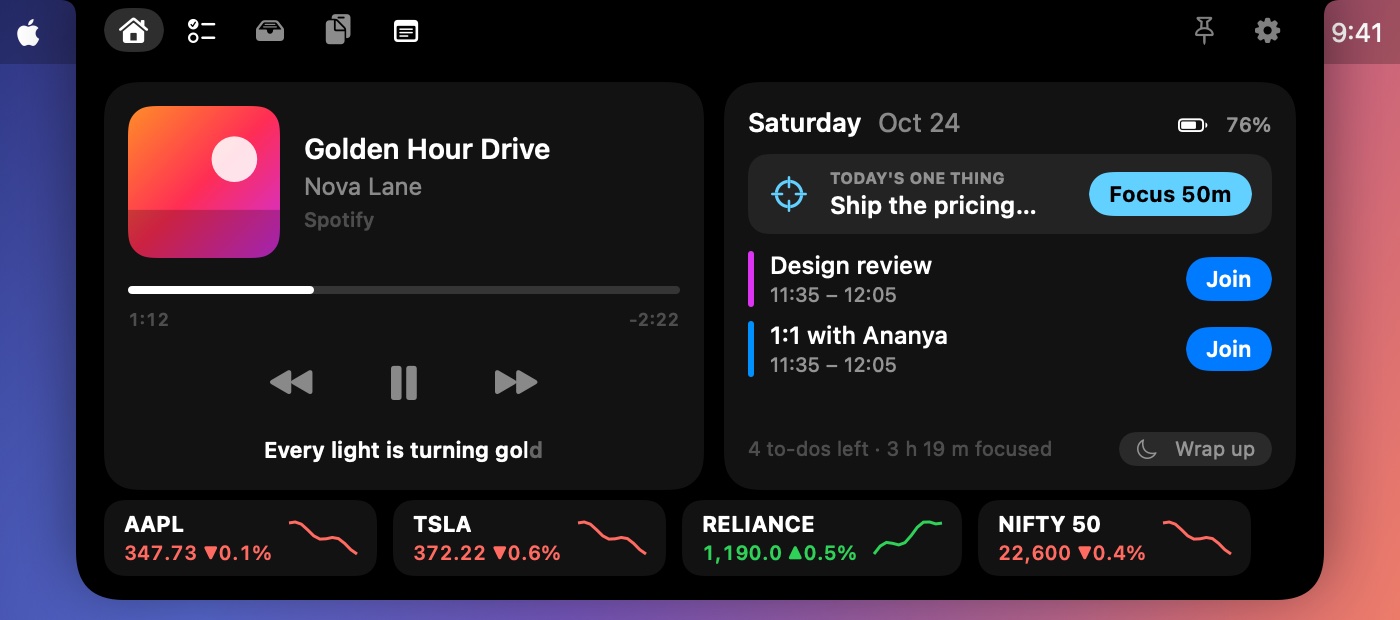
Hatch turns your MacBook's notch into a calm command centre: plan and focus, never miss a meeting, keep your music at hand, and get a nudge only when something needs you.
Pick a feature — it lives in the notch, shows one thing at a time, and gets out of your way.
Focus
Time you can see.
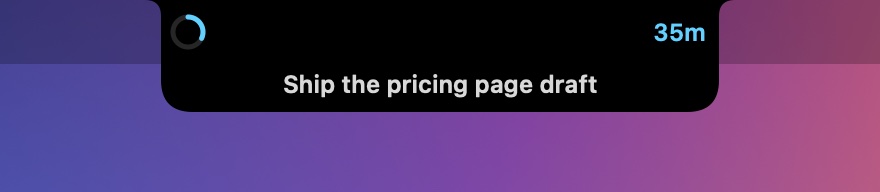
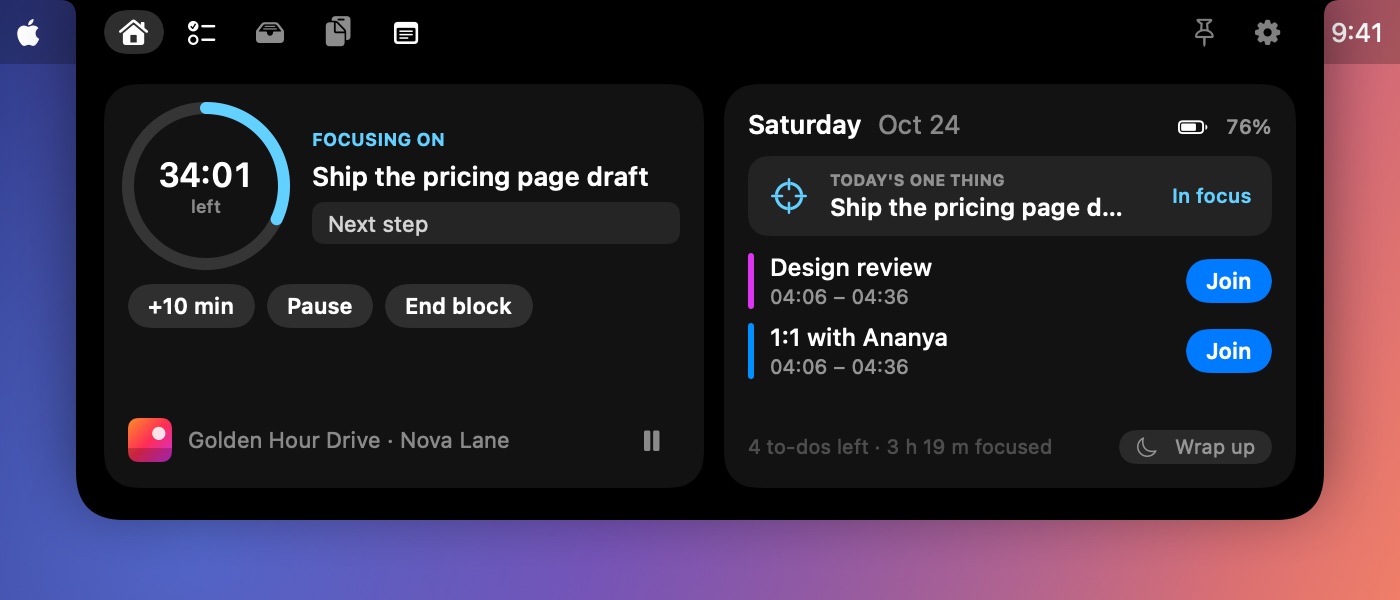
Start a 25, 50 or 90 minute block from Home or with ⌃⌥F. A ring around the notch fills as time passes, with your task underneath. While you focus, Hatch holds its own alerts until the block ends.
Your reminders and meetings still come through
Add 10 minutes, pause, or note your next step
Can switch a macOS Focus on and off with Shortcuts
Resume
Pick up exactly where you left off.
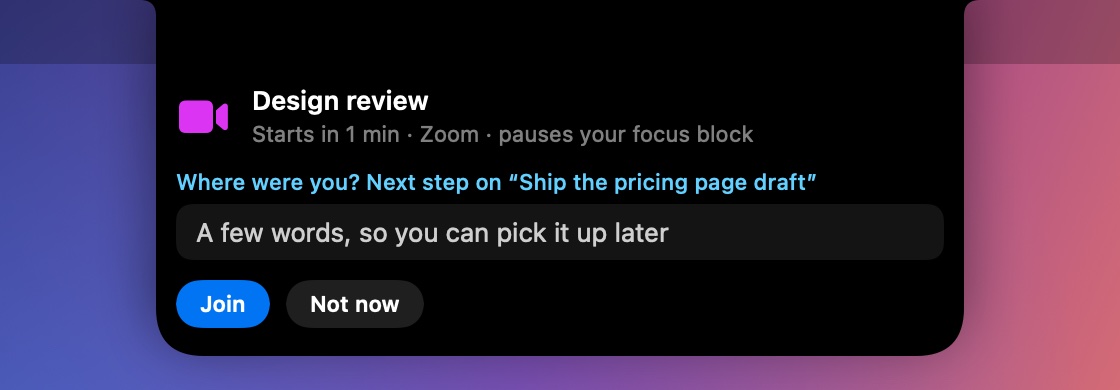
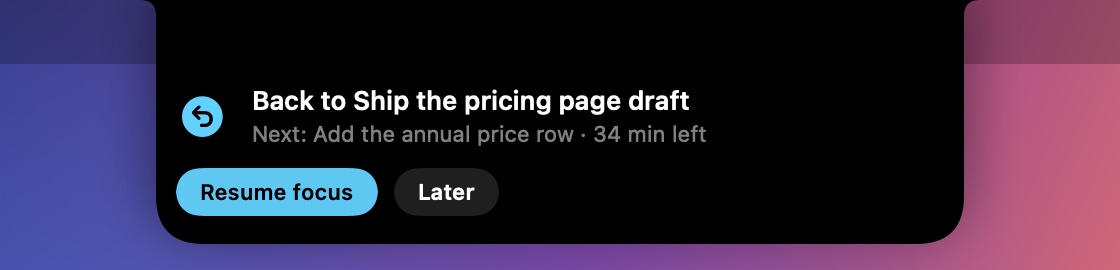
When a meeting starts mid-block, its card asks where you were. One line is enough. When the meeting ends, Hatch hands your note back, with the time you had left.
No extra card: the meeting card just gains one field
Works when you lock your Mac mid-block, too
Plan & wrap up
Start and end the day on purpose.
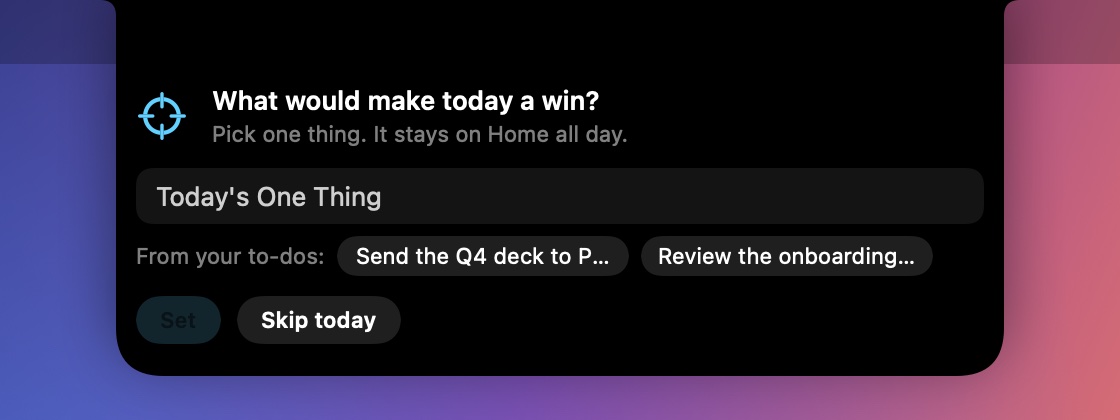
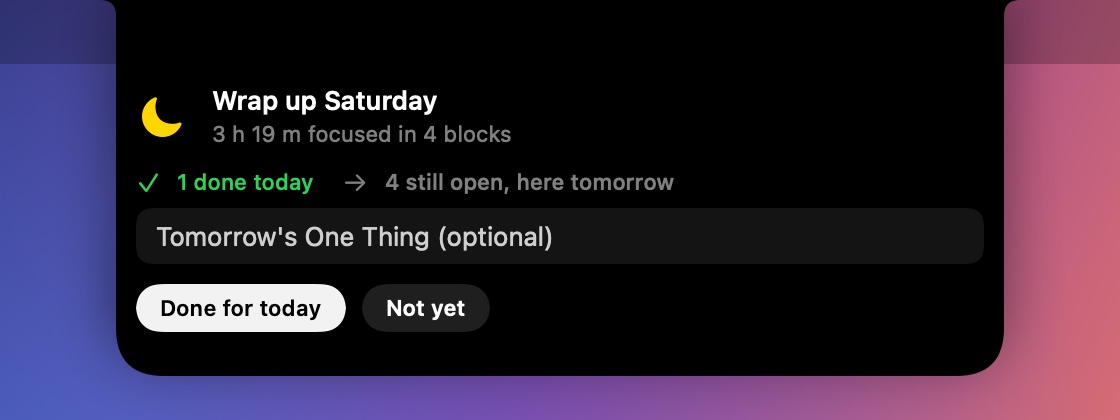
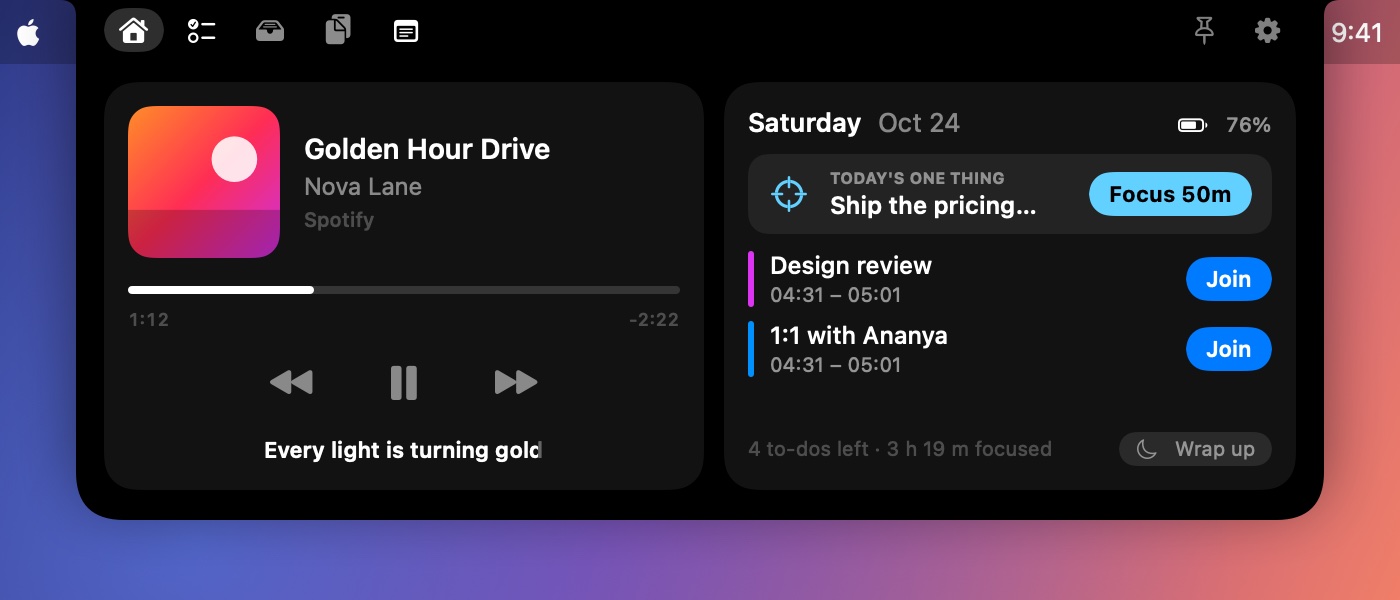
Each morning, one question: what would make today a win? Your answer stays on Home with a Focus button. At the end of the day, a short wrap-up shows what got done, then Hatch goes quiet until morning.
Wrap up any time, or let Hatch offer it at 18:00 on weekdays
Set tomorrow's One Thing before you leave
Meetings
Join in one click.
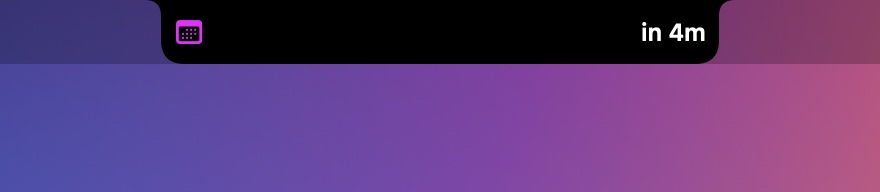
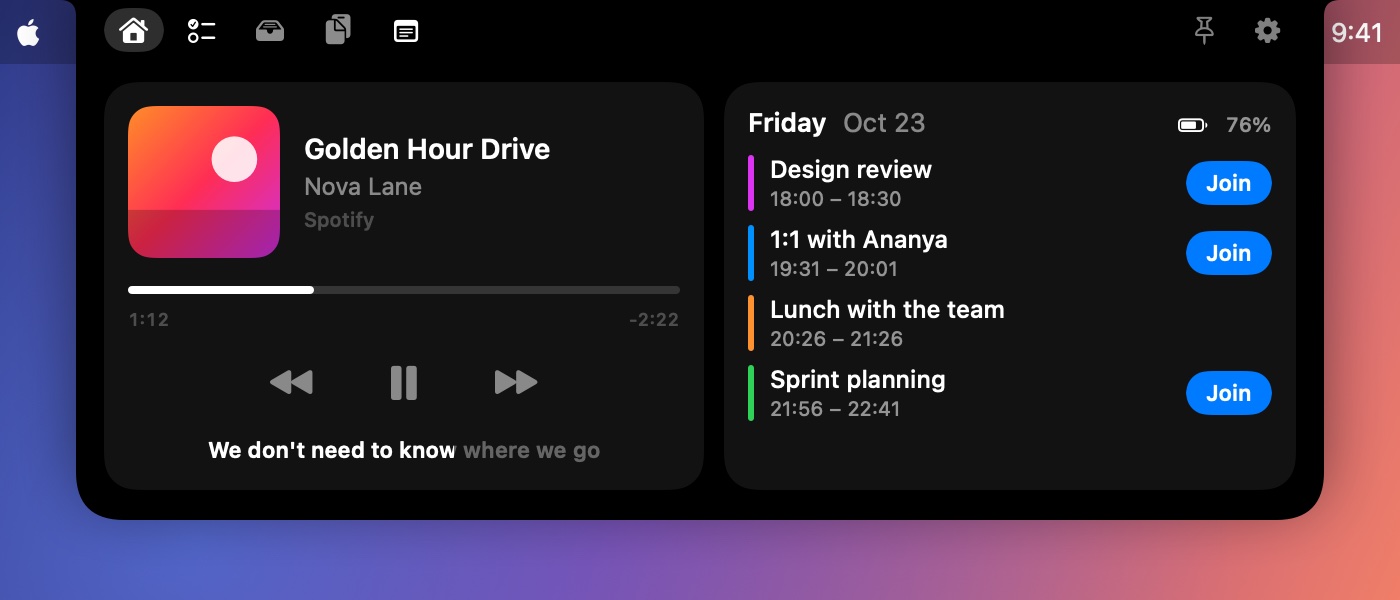
Hatch reads today's calendar and finds the meeting link for you, even when it's buried in the notes or wrapped in an Outlook safe link. A minute before, a Join card drops down; during the call, the notch shows the minutes left.
Zoom, Google Meet, Teams, Webex, Slack huddles, FaceTime and more
Countdown beside the camera before each meeting
Turns orange in the last five minutes, so you end on time
To-dos & reminders
Reminders you can't ignore.
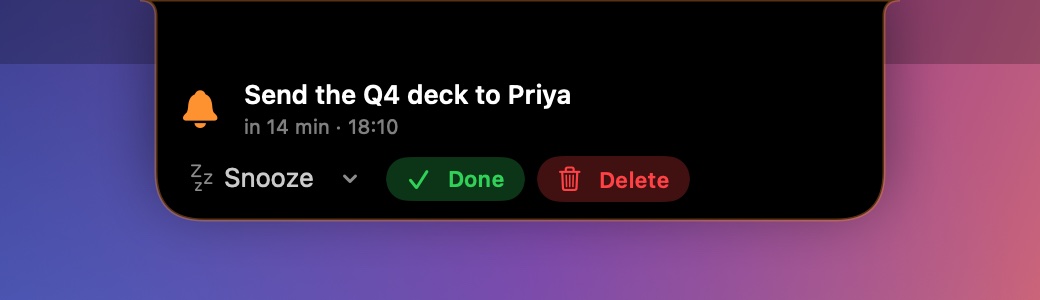
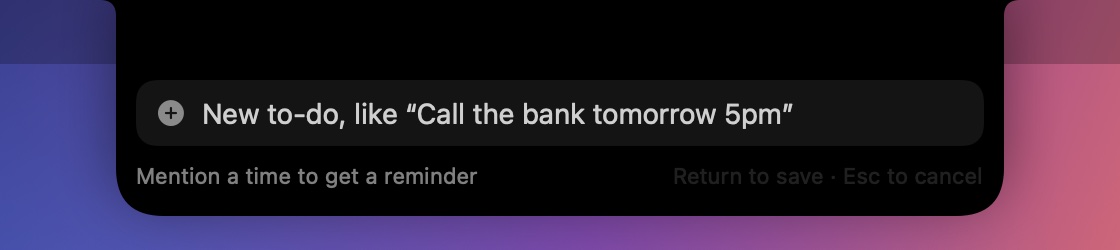
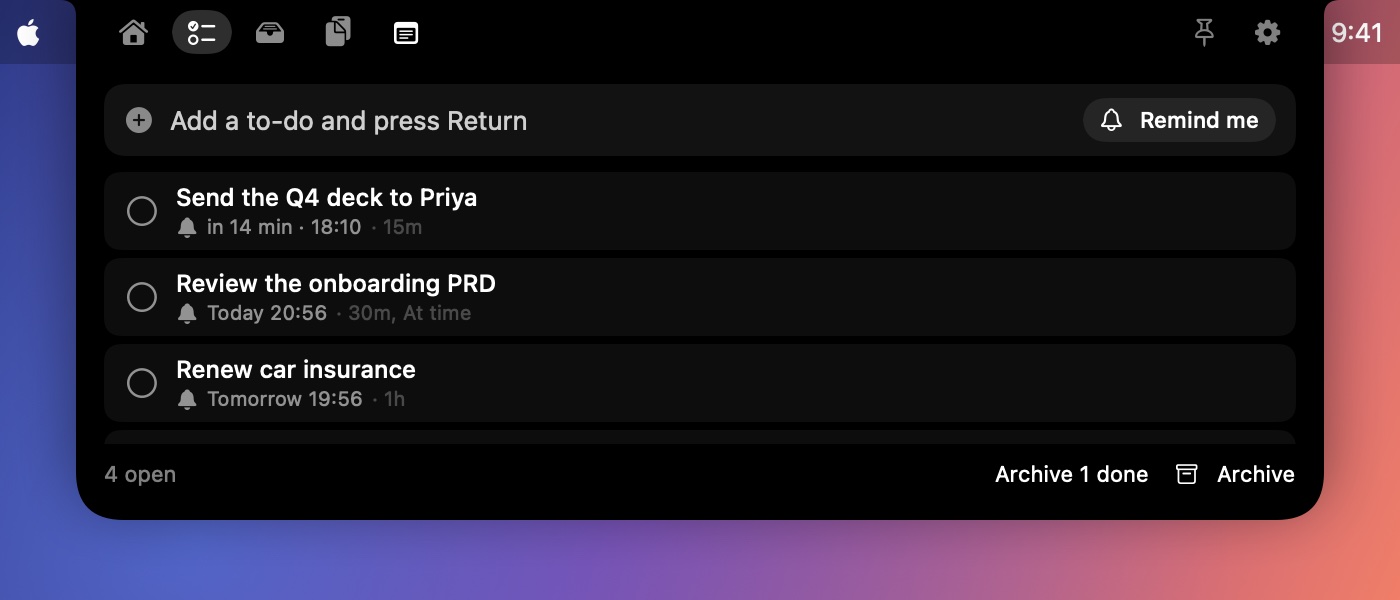
When a to-do is due, the notch drops down, shakes and chimes until you snooze it, finish it or delete it. Add to-dos from any app with ⌃⌥N: type “call the bank tomorrow 5pm” and the reminder is set for you.
Several reminders per to-do, just like Calendar
Snooze for 5 minutes to an hour
Strike items off, then archive them
Now playing
Every player, one place.
Apple Music, Spotify, and YouTube or any video in Safari, Chrome, Brave, Edge and Arc. See the artwork, scrub the timeline, and skip without switching apps.
Live, time-synced lyrics under the notch, filling in word by word
Move your pointer near and the lyrics slide out of the way
Follows whatever is actually playing
Stocks
Your watchlist, beside the camera.
Add the stocks and indices you follow, from AAPL to RELIANCE or the NIFTY 50. Two show beside the camera with the price and today's change, then slide up to the next pair. When a meeting or a song needs one side, your tickers keep going on the other.
Wider, never taller: the notch keeps its height
Hover to hold still, click to open the chart in TradingView, Google Finance or Yahoo
Open Hatch for your whole watchlist with today's price lines
Smart Copy
Copy it. Hatch handles the rest.
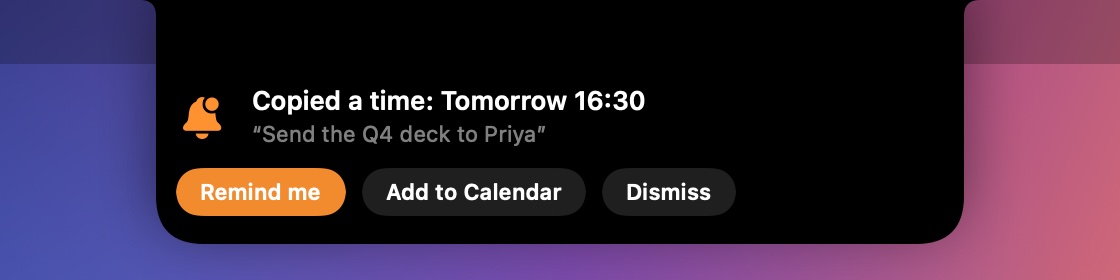
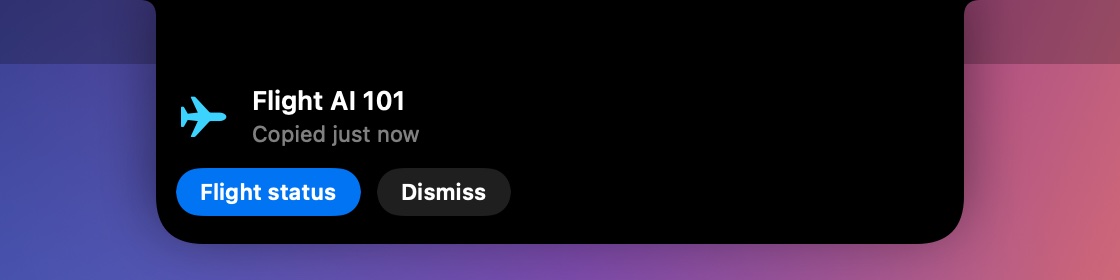
Copy “send the deck to Priya tomorrow at 4:30” from Slack or an email, and before you've switched apps the notch offers to remind you or add it to your calendar. Copy a flight number, an address or a phone number and get flight status, Maps or a call in one click.
Understands times, dates, flights, addresses and phone numbers
Leaves on its own after a few seconds if you don't need it
Reads only what you copy, on your Mac, the moment you copy it
Busy apps
Know what's draining your Mac.
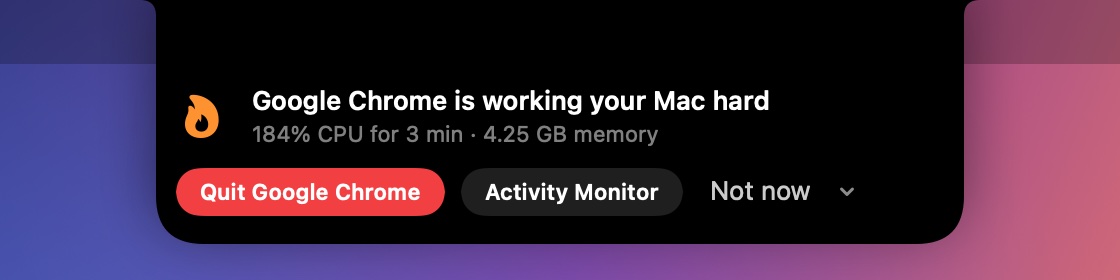
Fans spinning, battery dropping? When an app keeps your Mac busy for minutes, or swallows a huge amount of memory, the notch gives a quick buzz and tells you which one, with a button to quit it.
Adds up every helper process, so Chrome counts as Chrome
Ignores short spikes and never suggests quitting system parts
At most once an hour per app, or never again if you say so
Notes, files & clipboard
Notes that act, and a shelf for everything else.
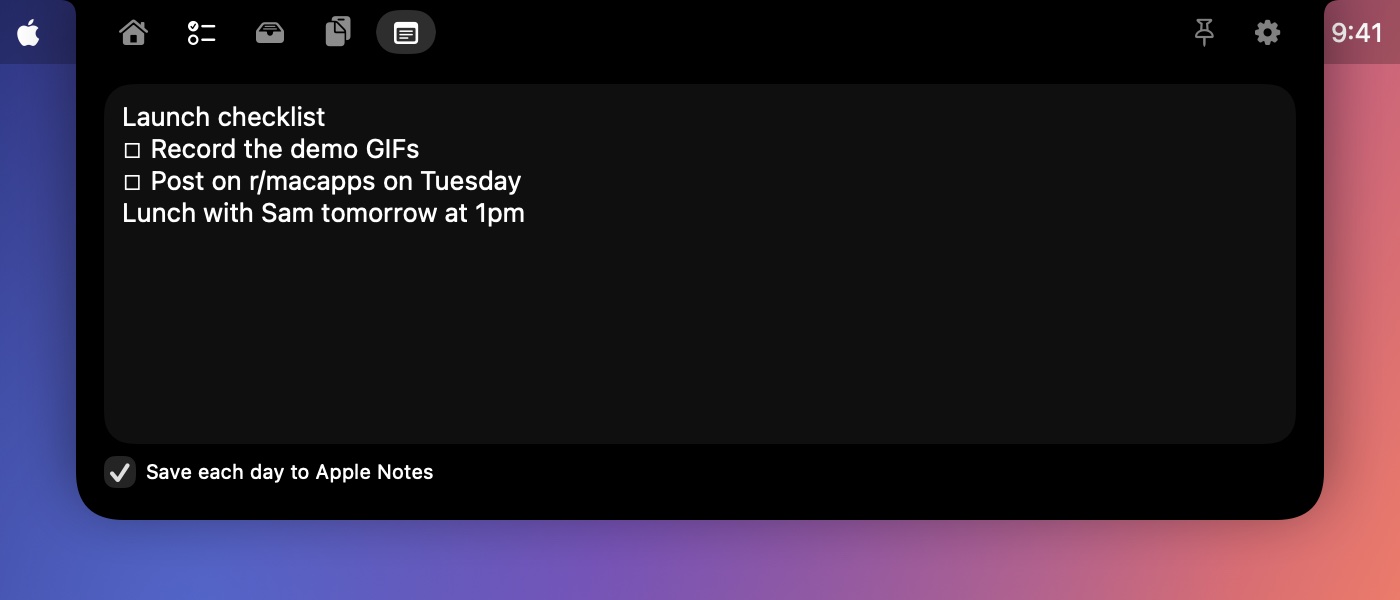
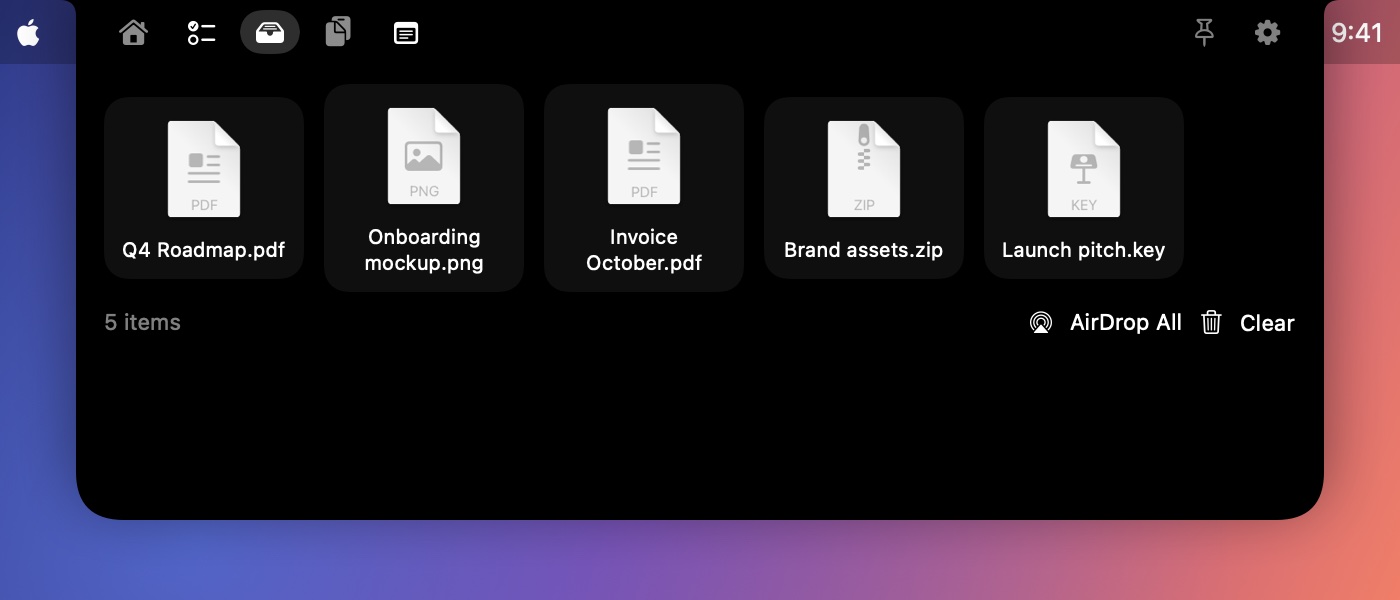
Start a line with #todo, or right-click any text, to turn it into a to-do. Mention a time and Hatch offers a reminder or a calendar event. Each day's notes can be kept in Apple Notes. Drag files onto the notch to park them, and get back anything you copied recently.
#todo and right-click › Add to To-dos
One Apple Notes entry per day, saved as you type
Drop files on the notch; clipboard history stays in memory only
Keyboard sounds · Pro
Give your keyboard a voice.
Turn on a soft, satisfying click for every keystroke, played right through your Mac's speakers. Pick from quirky, professional, ambient and classic mechanical-switch sounds — the famous blues, browns and more — tuned so Space and Return feel heavier than the rest.
Four families: Quirky, Professional, Ambient and Mechanical switches
Low-latency audio that keeps up with fast typing
Nothing you type is ever recorded, stored or sent anywhere
Part of Hatch Pro — free during early access
QuirkyProfessionalAmbientMechanical
Made to stay out of your way.
⌨️
Open it your way
Hover, click, or press ⌃⌥Space from anywhere. Pin it to keep it open.
🔒
Private
No account, no tracking, nothing that identifies you. Hatch only goes online for artwork, lyrics and update checks, plus a once-a-day count of which version is in use.
🪶
Light
A tiny native app written in Swift. It uses about 1% of your CPU when idle, so it barely touches your battery, and launches at login.
Install in a minute.
Signed and notarized by Apple, so it opens straight away — no security warnings.
Download
Click Download to get Hatch.dmg, then open it.
Drag to Applications
Drag Hatch onto the Applications folder, then open it from there.
Allow access
Allow Calendar and media control when asked. Hatch is now living in your notch.
Hatch keeps itself up to date automatically — new versions install in the background.
Is Hatch safe to install?
Short answer: yes. It's notarized by Apple, checked by antivirus engines, and you can verify every download yourself.
🛡️
Notarized by Apple
Every release is signed with an Apple Developer ID and notarized — Apple scans each build for malware before it ships, so Hatch installs cleanly, with no security warning.
Calendar (to show events and find join links) and permission to control Music, Spotify and your browsers (to show what's playing). No accounts, no tracking, no access to your files beyond what you drop on it. Privacy details.
Verify your download
Hatch 0.14.0 · Hatch.dmg · SHA-256. In Terminal, run the command below and check that it prints this exact value.
f90365fe6b15f24421f2d223eeeb67702dd02a189fe7c654fe601347e9e9585eshasum -a 256 ~/Downloads/Hatch.dmg
Made by a real person
Hatch is built by Tuhin Rawat in India. Found a bug or have an idea? Open an issue; every one gets read.
Simple pricing. Yours forever.
No subscription. Buy once, and Hatch keeps working, even offline and even if this website disappears.
Early access
Free
Every feature, free until Hatch 1.0 launches (by 31 March 2027 at the latest).
Any Apple silicon Mac running macOS Sonoma (14) or later. It shines on MacBooks with a notch; on other displays it lives at the top centre of the screen.
Is Hatch notarized by Apple?
Yes. Every release is signed with an Apple Developer ID and notarized by Apple, which scans each build for malware. Hatch installs and opens cleanly, with no "unidentified developer" warning.
How do lyrics work?
For Apple Music and Spotify, Hatch looks up time-synced lyrics on LRCLIB, a free, open lyrics database, sending only the song's title, artist, album and length. You can turn lyrics off in Settings.
How does YouTube and browser media work?
Load the included browser extension in Chrome, Brave, Edge or Arc. Or turn on "Allow JavaScript from Apple Events" once in the browser (Chrome: View › Developer; Safari: Develop menu). Hatch only reads the playing video's title, time and artwork.
What data does Hatch collect?
Nothing that identifies you. The app has no accounts and no tracking. Once a day it reports only its version number, so we know how many copies are in use; there's no ID, name or device information. Clipboard history stays in memory, and your to-dos, notes and tray files stay on your Mac. This website counts visits with Vercel Web Analytics, which uses no cookies and stores no personal data. See the privacy page.
How do updates work?
From version 0.9.3, Hatch updates itself: it downloads new versions in the background and installs them the next time it quits. Every update is verified with Hatch's signature before it installs. You can turn this off in Settings › Updates.
How do I send feedback or report a bug?
In Hatch, open the menu bar icon and choose Send Feedback…. It opens a GitHub issue with your Hatch and macOS versions filled in. You can also go to myhatch.dev/feedback.
What happens when early access ends?
Early access is free until Hatch 1.0 launches, and no later than 31 March 2027. When it ends, early-access builds show a message inviting you to Hatch 1.0, which has a 7-day free trial and then a one-time $4.99 purchase. Your reminders keep working in the meantime. Licenses are verified on your Mac, so once you've bought it, it works for good.